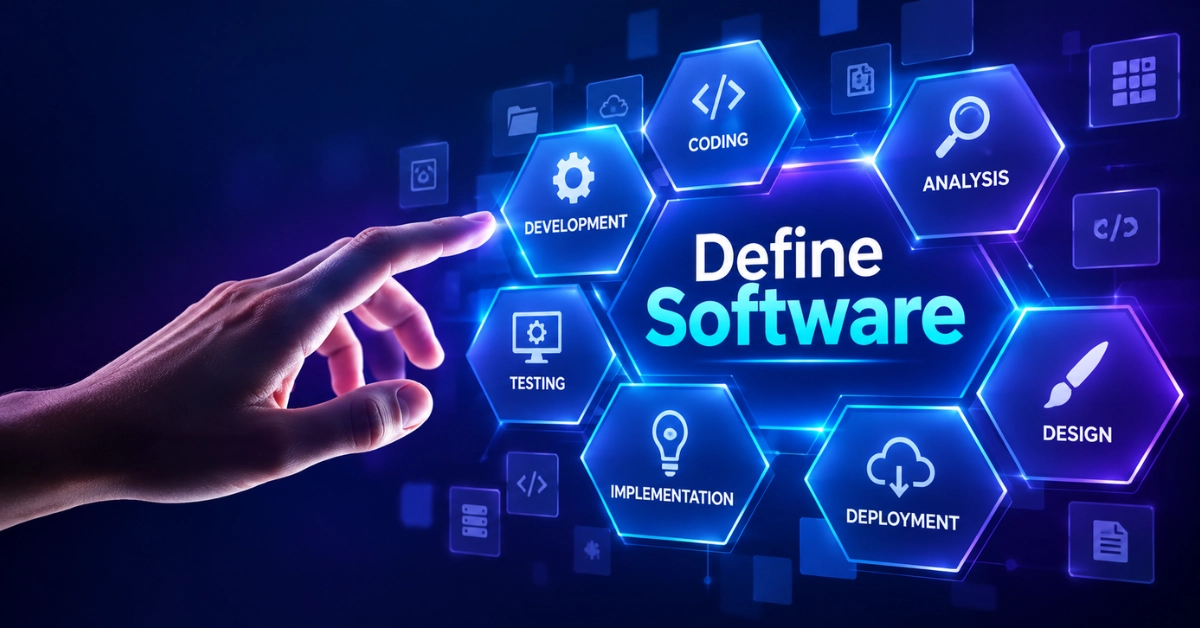
Software, Is an important part of our daily lives. It helps computers, laptops and mobile phones perform different tasks. If you want to define software in simple words, it is a set of instructions that tells a computer what to do and how to do it. We use software to write documents, play games, browse the internet and watch videos. Different types of software help people at home, in schools and in offices. In this article, we will discuss the meaning of software, its types, examples and uses in easy English.
How Does Software Work on a Computer?
Software helps a computer perform tasks by giving it instructions to follow.
- User Commands: Software receives commands when you click a button, type on a keyboard or open an application.
- Processing Instructions: The computer follows the software’s instructions to complete the requested task.
- CPU Support: The CPU processes instructions and helps the computer perform different operations.
- Memory Usage: Software uses computer memory to keep the information needed while running.
- Input and Output: Software takes input from users and shows results on the screen or sends them to other devices.
- Data Storage: Some software saves files, pictures and documents so users can open them later.
- Hardware Connection: Software works with hardware parts such as the keyboard, mouse, screen and printer.
- Task Completion: Software helps users complete tasks such as writing documents, playing games and browsing the internet.
Software works with computer hardware to follow instructions and complete different tasks quickly and correctly.
Why Is Software Important in Daily Life?
Software makes daily tasks easier, faster and more convenient at home, in schools and at work.
- Communication: Software helps people send messages, make video calls and share information with others.
- Education: Students use educational software to attend online classes, read books and complete homework.
- Office Work: Software helps workers create documents, prepare reports and manage business tasks.
- Entertainment: People use software to watch movies, listen to music and play games.
- Online Shopping: Shopping software allows people to buy products and make payments online.
- Healthcare: Hospitals use software to manage patient records, appointments and medical information.
- Banking: Banking software helps people check their accounts, transfer money and pay bills.
- Time Saving: Software completes many tasks quickly and reduces the effort needed for daily work.
Software is important because it saves time, improves communication and helps people manage everyday activities more easily.
Main Types of Software
Software has different types, and each type performs specific tasks on a computer or other digital device.
- System Software
- Application Software
- Programming Software
The three main types of software help computers operate, support daily tasks and allow developers to create new programs.
Common Examples of Software
Many types of software help people perform daily tasks on computers, laptops and mobile phones.
- Operating Systems: Windows, macOS and Linux manage computer activities and allow other programs to run.
- Word Processing Software: Microsoft Word and Google Docs help users write, edit and save documents.
- Web Browsers: Google Chrome, Mozilla Firefox and Microsoft Edge help people visit websites and search for information.
- Graphics Software: Adobe Photoshop and Canva help users create and edit pictures, posters and designs.
- Educational Software: Google Classroom and Duolingo support learning, teaching and online study.
- Entertainment Software: VLC Media Player and Spotify allow users to watch videos and listen to music.
- Communication Software: Zoom, WhatsApp and Microsoft Teams help people send messages and make video calls.
These software examples show how different programs make computer tasks easier at home, in schools and at work.
How Is Software Created?
Software is created by developers who plan, write and test instructions to make computer programs work properly.
- Planning the Idea: Developers decide what the software should do and which problems it will solve.
- Designing the Software: They plan how the software will look and how users will interact with it.
- Writing Code: Programmers write instructions using coding languages such as Python, Java and C++.
- Testing the Program: Developers test the software to find errors and check whether its features work correctly.
- Fixing Errors: They correct coding mistakes and improve the software’s performance.
- Adding Features: Developers add useful tools and functions to meet users’ needs.
- Releasing the Software: After testing, the software is made available for people to install or use online.
- Updating the Software: Developers release updates to fix problems, improve security and add new features.
Software creation involves planning, coding, testing and updating to make programs useful and reliable for users.
What Are the Benefits of Using Software?
Software makes daily tasks easier, faster and more organized.
- Saves Time: Software helps complete tasks quickly.
- Reduces Errors: Programs help improve accuracy in daily work.
- Increases Productivity: Users can complete more work in less time.
- Stores Data: Software saves files and important information.
- Improves Communication: Apps help people send messages and make calls.
- Supports Learning: Educational programs help students study online.
- Automates Tasks: Software performs repeated tasks automatically.
- Organizes Information: Programs help manage records and files.
Software saves time and makes everyday tasks easier.
How to Choose the Right Software
Choosing the right software depends on your needs, budget and device.
- Know Your Needs: Choose software that matches the task you want to complete.
- Check Compatibility: Make sure it works with your computer or mobile device.
- Compare Prices: Select software that fits your budget.
- Read Reviews: Check user feedback before installing or buying it.
- Check Security: Choose trusted software that protects your information.
- Look for Updates: Select software that receives regular updates and support.
The right software should be safe, useful and suitable for your needs.
How to Install and Update Software Safely
Safe installation and regular updates help protect your device and keep software working properly.
- Use Trusted Sources: Download software from official websites or trusted app stores.
- Check Requirements: Make sure the software is compatible with your device.
- Avoid Unknown Links: Do not download programs from suspicious websites.
- Read Permissions: Check what information the software can access.
- Install Updates: Keep software updated to fix errors and improve security.
- Use Antivirus Protection: Scan downloads to help detect harmful files.
Trusted downloads and regular updates help keep your software and device safe.
Common FAQs About Define Software
Here are some FAQs of Define Software:
Can software work without an internet connection?
Yes, many programs work offline, such as calculators, text editors and offline games.
What is open-source software?
Open-source software allows users to view, modify and share its source code under its license.
What is proprietary software?
Proprietary software is controlled by its owner and has rules about how people can use or change it.
What is cloud-based software?
Cloud-based software runs through internet services and often stores data on remote servers.
What is portable software?
Portable software can run without a traditional installation on a compatible device.
What is beta software?
Beta software is a test version released to find problems before the final release.
Can software become outdated?
Yes, software can become outdated when it no longer receives support or meets current needs.
What is a software license?
A software license explains the rules for using, copying or sharing a program.
Conclusion
Software is an important part of modern life because it helps people complete tasks on computers, laptops and mobile phones. It includes different types of programs used for education, communication, business and entertainment. Software works with hardware to follow instructions and provide useful results. Knowing how software works, its benefits and its limitations helps users make better choices. By choosing trusted programs and keeping them updated, users can enjoy a safer and better digital experience.