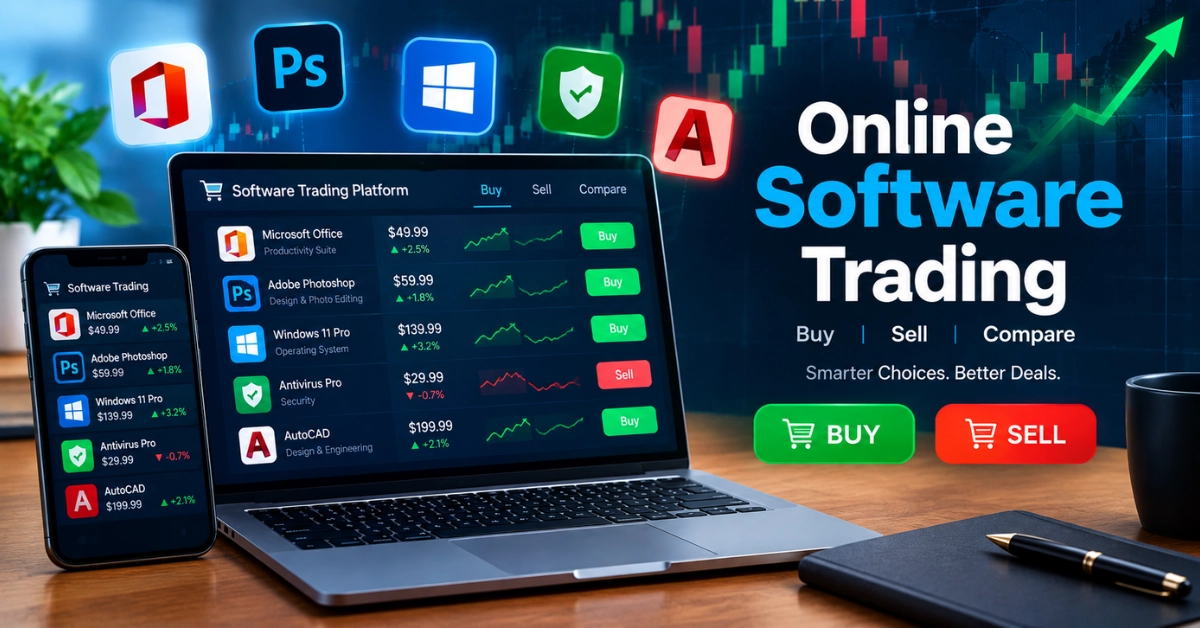
Online Software Trading Allows people to use digital platforms to buy and sell financial products through the internet. It helps users check market prices, study trends and place trades from their computers or mobile phones. Beginners should understand how trading software works before choosing a platform. Learning about its features, benefits and risks can help people make better trading decisions.
How Does Online Trading Software Work?
Online trading software allows users to buy and sell financial products through the internet. It connects users with financial markets and provides tools to check prices and manage trades.
- Account Setup: Users create an account on a trading platform and complete the required verification.
- Market Data: The software displays prices, charts and market movements to help users understand market conditions.
- Placing Orders: Users can place buy or sell orders through the platform.
- Trade Processing: The software sends orders to a broker or exchange for processing.
- Account Monitoring: Users can check their trades, available funds and transaction history.
Online trading software makes trading easier to access but users should understand the risks before investing real money.
Main Types of Online Trading Software
Online trading software comes in different types to help users trade various financial products.
- Stock Trading Software
- Forex Trading Software
- Cryptocurrency Trading Software
- Commodity Trading Software
- Options Trading Software
- Futures Trading Software
- Automated Trading Software
- Multi-Asset Trading Software
Each type serves a different purpose so users should choose software that matches their needs and experience.
Key Features of Online Trading Software
Online trading software offers useful features that help users manage trades and check market information.
- Live Market Prices: Shows current prices of financial products.
- Price Charts: Displays market movements over time.
- Order Placement: Allows users to place buy and sell orders.
- Market Analysis: Provides tools to study price trends.
- Account Management: Helps users check balances and trade history.
- Security Tools: Protects accounts with secure login features.
- Price Alerts: Sends notifications about market changes.
- Risk Management: Offers tools to help control trading risks.
These features make online trading easier to manage and help users make more informed decisions.
Advantages and Disadvantages of Using Online Trading Software
Online trading software offers useful benefits but it also has some drawbacks.
| Advantages | Disadvantages |
| Easy access from different locations. | Market changes can cause financial losses. |
| Quick buying and selling of assets. | Technical problems may interrupt trading. |
| Real-time market prices and updates. | Online threats may affect account security. |
| Saves time through online transactions. | Some platforms charge extra fees. |
| Useful tools for market analysis. | Beginners may find the tools difficult to understand. |
| Easy access through mobile devices. | A stable internet connection is required. |
Online trading software provides convenience but users should understand its risks before trading.
Best Online Trading Software for Beginners
Beginners should choose trading software that is simple, secure and easy to understand.
- Met Trader 4
- Met Trader 5
- TradingView
- eToro
- Interactive Brokers
- thinkorswim
- NinjaTrader
- Paper Trading Platforms
The best platform depends on your experience, location, fees and trading goals so compare features and risks before choosing one.
How to Start Online Trading Step by Step
Starting online trading requires basic knowledge, careful planning and a reliable platform.
- Learn the Basics: Understand how financial markets work.
- Set Your Goals: Decide what you want to achieve.
- Choose a Platform: Select a reliable trading service.
- Check Regulations: Make sure the platform is legally authorized.
- Create an Account: Register and complete verification.
- Practise First: Use a demo account to learn trading.
- Set a Budget: Only use money you can afford to lose.
- Monitor Your Trades: Review your activity and manage risks.
Following these steps can help beginners start online trading more carefully and avoid common mistakes.
Legal Rules for Online Trading Platforms
Online trading platforms must follow applicable laws to protect users and support fair trading.
- Platform Licensing: Providers may need official approval to operate.
- User Verification: Platforms must verify customer identities where required.
- Data Protection: Personal information must be handled securely.
- Clear Fees: Trading charges should be explained clearly.
- Risk Disclosure: Users should be informed about possible financial losses.
- Anti-Fraud Rules: Platforms must follow laws against financial scams.
- Transaction Records: Trading activities may need to be recorded.
- Local Regulations: Rules vary by country and type of financial product.
Understanding these legal rules helps users choose more reliable platforms and trade with greater awareness.
Common FAQs About Online Software Trading
Here are some FAQs of Online Software Trading:
Can I Use Online Trading Software on Multiple Devices?
Yes, many trading platforms work on computers, tablets and smartphones. Users can access their accounts on supported devices by signing in securely.
Does Online Trading Software Require Installation?
No, some platforms work directly through a web browser. Others require users to download and install an application on their devices.
Can Trading Software Send Automatic Alerts?
Yes, many platforms provide alerts for price changes, market movements and important events. These notifications help users follow market activity without checking prices constantly.
What Is Copy Trading Software?
Copy trading software allows users to copy the trades of selected traders on supported platforms. However, copied trades can still lose money and past results do not guarantee future success.
Can Online Trading Software Work Without the Internet?
Most online trading platforms require an internet connection to display updated prices and submit orders. Some may offer limited access to previously saved information while offline.
Do Trading Platforms Offer Customer Support?
Many platforms provide customer support through email, live chat or help centers. Users should check the available support options before opening an account.
Can I Customize My Trading Dashboard?
Yes, some trading platforms allow users to arrange charts, watchlists and market indicators. Customization helps users organize the information they need.
How Often Should Trading Software Be Updated?
Users should install official updates when they become available. Updates may improve security, fix technical problems and add useful features.
Conclusion
Online software trading provides useful tools for accessing financial markets, studying price movements and managing trades. Different platforms offer features for beginners and experienced traders. Before choosing any software, users should compare its tools, fees, security and legal status. Learning the basics and understanding the risks can help users make informed decisions. A reliable platform and careful planning are important for a safer online trading experience.